2. In the "Domains" section, click on "Parked Domains" Icon.

3. Under "Remove Aliases", locate the parked domain name and. "Remove" link.
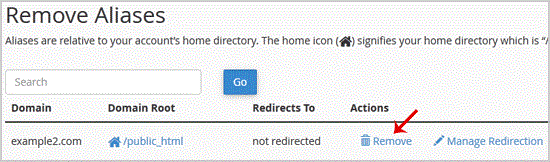
. For confirmation you will need to. "Remove Alias" babies once more.
You should see a success message that your Parked/Alias Domain is removed.