2. In the "Domains" section, click on "Redirects" Icon.

3. Scroll down to the end of page and under "Current Redirects" locate the domain and. "remove" icon.
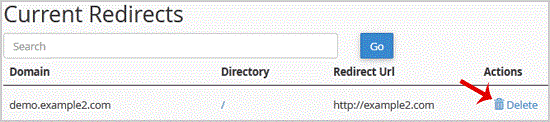
. For confirmation. "Remove Redirect" babies once more.

Manage your HostFactor account, services, and support requests from one secure place.